For the complete documentation index, see llms.txt. Markdown versions of all docs pages are available by appending .md to any docs URL.
Model costs
Verified Code examples on this page have been automatically tested and verified.Price LLM requests with a model cost catalog and expose realized USD costs in logs, traces, metrics, and CEL policies.
Agentgateway can track LLM spend by mapping each request’s provider, model, and token counts to per-token pricing.
Agentgateway extracts token usage from supported LLM APIs automatically. To convert those token counts into cost, configure a model cost catalog. The catalog maps provider and model names to pricing data so agentgateway can attach realized USD cost to logs, traces, metrics, and CEL expressions.
Note
Cost analysis is best-effort and may not exactly match your provider bill in scenarios such as price changes, custom pricing, failed requests, or provider-specific billing rules.
Before you begin
Install theagentgateway binary.Configure a model catalog
Use config.modelCatalog to load one or more model cost catalog files. Catalog entries are merged in order, and later entries take precedence. This lets you start with an imported public catalog and then layer local overrides for contracted pricing, internal models, or provider-specific aliases.
# yaml-language-server: $schema=https://agentgateway.dev/schema/config

config:
  modelCatalog:
  - file: ./costs/catalog.json

llm:
  models:
  - name: "*"
    provider: openAI
    params:
      apiKey: "$OPENAI_API_KEY"
Run agentgateway with the config file.
agentgateway -f config.yamlAfter the catalog is loaded, priced requests include cost data. The access log includes agw.ai.usage.cost.total, and CEL exposes cost data as llm.cost and llm.costRates.
For general LLM telemetry setup, see Observe traffic.
Import costs (agctl)
Use agctl catalog import to generate a catalog file. The --source flag takes a comma-separated list, and the sources merge in the order that you list them, so a later source overlays an earlier one. The default is models.dev,aws-bedrock-mantle, which prices every provider that the proxy supports and then tags the Amazon Bedrock models.
A source is a catalog to import from, not an LLM provider: each source covers one or more providers and contributes rates, tags, or both. Use --providers to import a subset of the providers that a source covers.
| Source | What it contributes |
|---|---|
models.dev | Rates for every provider that the proxy supports, from models.dev. |
aws-bedrock-mantle | Tags for Amazon Bedrock models only, read from the AWS model cards. This source contributes no rates. The tags record which endpoint serves a model, runtime or mantle, and which request formats the Mantle endpoint accepts. |
github | The curated catalog that the agentgateway project publishes at agentgateway.dev/model-catalog, which covers the models that the agentgateway project tracks rather than everything that models.dev lists. Not imported by default. |
mkdir -p costs
agctl catalog import --out ./costs/catalog.json
To keep the catalog smaller, import only the providers that you use. The following provider IDs are the same in the models.dev and github sources.
agctl catalog import \
  --providers anthropic,mistral,openai \
  --out ./costs/catalog.json
Important
The --providers flag takes the provider IDs of the source that you import from, and the sources name some providers differently. The github source uses the agentgateway provider IDs, such as gcp.gemini and aws.bedrock, while models.dev uses its own IDs, such as google and amazon-bedrock. An ID that the source does not recognize is handled differently too: models.dev fails with no providers matched, but github reports imported 0 providers and writes a catalog without that provider. A --providers list that omits Bedrock also makes aws-bedrock-mantle contribute nothing. Check the provider list in the generated file before you load it.
For all flags, see the agctl catalog import reference.
Import costs (UI)
You can also manage the model cost catalog from the built-in UI.
Open the UI cost page (LLM > Costs). The page lists your configured Catalog sources (files and ConfigMaps, merged in order) and any inline Custom costs overrides.
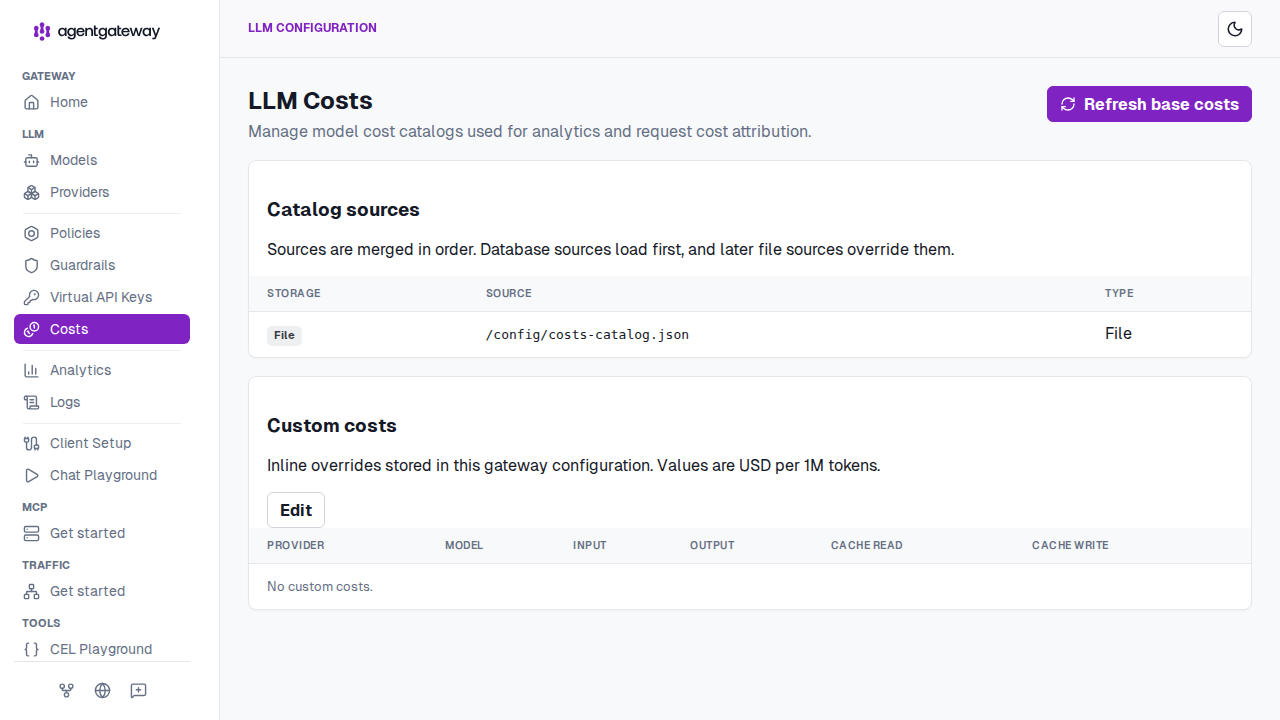
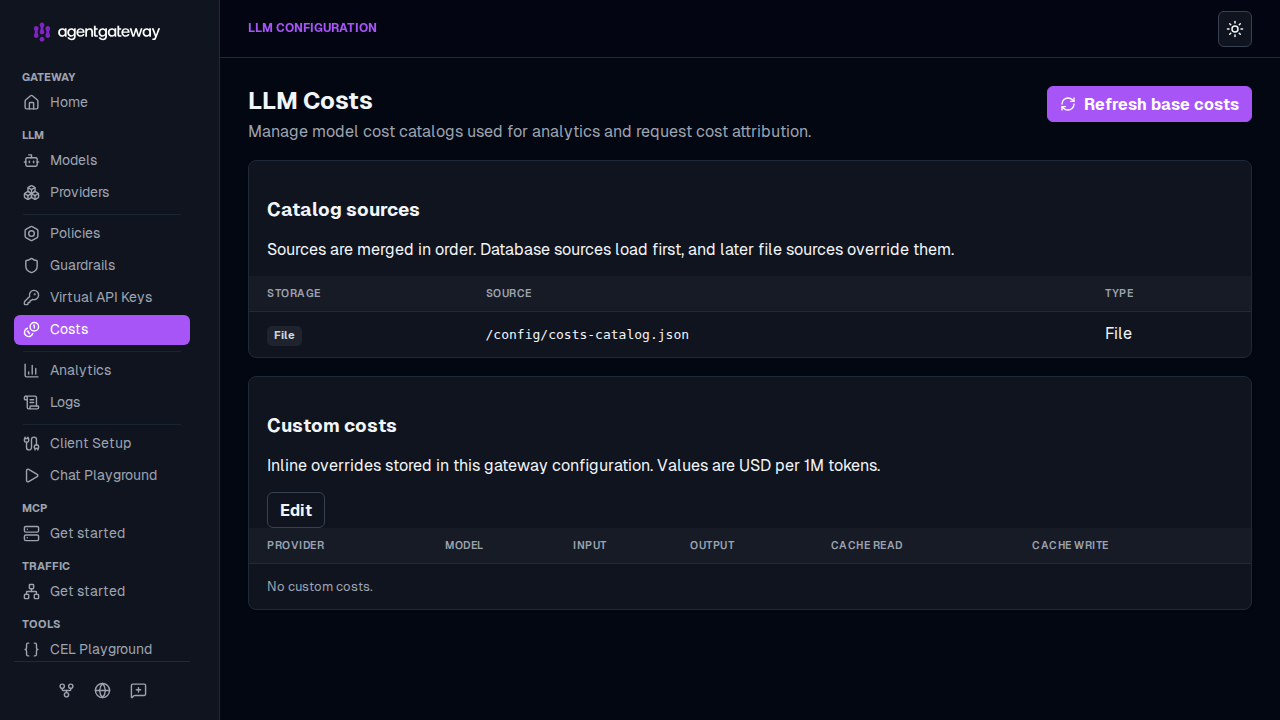
Press Refresh base costs. The UI fetches the latest base costs and configures
modelCatalog. You can refresh again later to pull updated pricing and model data.To adjust pricing for a specific model, use Edit under Custom costs to add inline overrides without changing your catalog files.
When you set up a fresh configuration for the first time, the UI automatically performs the refresh step.
After you load a catalog, the same UI visualizes your priced traffic. For more information, see Cost dashboard.
Override catalog entries
If your provider pricing differs from the imported public catalog, add another catalog file after the imported one. Later catalog sources override earlier sources.
config:
  modelCatalog:
  - file: ./costs/catalog.json
  - file: ./costs/overrides.json
Use overrides for contracted pricing, internally hosted models, or models that do not appear in the imported catalog.
Warning
The MODEL_CATALOG_PATHS environment variable is removed. Agentgateway ignores it without an error, so a catalog that you loaded this way stops applying. List your catalog files under config.modelCatalog instead.
Use cost data
When a request matches an entry in the catalog, agentgateway populates these CEL fields:
llm.cost: The realized USD cost of the request. Includestotalplus per-token-type components such asinput,output,cacheRead,cacheWrite,reasoning,inputAudio, andoutputAudio. Unset when the model cannot be priced.llm.costRates: The effective USD-per-1,000,000-token rates that were applied. Includes the same per-token-type fields when available. Unset when the model cannot be priced.
The request access log always includes agw.ai.usage.cost.total for LLM requests when a cost is available.
Traces always include the full breakdown:
agw.ai.usage.cost.totalagw.ai.usage.cost.inputagw.ai.usage.cost.outputagw.ai.usage.cost.cache_readagw.ai.usage.cost.cache_writeagw.ai.usage.cost.reasoningagw.ai.usage.cost.input_audioagw.ai.usage.cost.output_audio
As these are loaded into the CEL context, they can be explicitly emited as well.
# yaml-language-server: $schema=https://agentgateway.dev/schema/config
frontendPolicies:
  accessLog:
    add:
       # Add the input cost
       input_cost: llm.cost.input
       # Add ALL cost variables, as `cost.input`, `cost.output`, etc.
       cost: flatten(llm.cost)
A priced request produces an access log entry that includes cost data.
... protocol=llm gen_ai.provider.name=openai gen_ai.request.model=gpt-4o-mini
gen_ai.usage.input_tokens=14 gen_ai.usage.output_tokens=6 agw.ai.usage.cost.total=0.0000057 ...
Monitor catalog lookups
Every cost lookup increments the agentgateway_cost_catalog_lookups_total counter. The metric is labeled with lookup status, provider, request model, and response model.
| Status | Meaning |
|---|---|
Exact | The provider and model were found in the catalog and priced. |
Unpriced | The model was found, but the token types in the request had no matching rates. |
Missing | The provider or model was not found in the catalog. |
NoCatalog | No catalog is configured. |
A rising Missing or Unpriced count means requests are flowing through models that your catalog does not price. Add the missing providers or models to your catalog and reload.
Note
In traces, the corresponding cost-resolution status attribute uses lowercase values: exact, unpriced, missing, and noCatalog.
Enforce budgets
The model catalog provides pricing data for spend visibility. To block or throttle traffic, combine cost visibility with rate limiting or virtual key management.
- Use Rate limiting to cap request or token usage per route, user, or API key.
- Use Virtual keys to issue keys with per-key controls and attribution.
Advanced: Catalog format
Usually, you do not need to write catalog JSON by hand. Use agctl catalog import or the UI to generate the base catalog, then add overrides only when needed.
A model catalog is JSON with the following high-level structure. Field names are camelCase, and unknown fields are rejected.
{
  "providers": {
    "<provider-id>": {
      "models": {
        "<model-name>": {
          "rates": {
            "input": "0.0",
            "output": "0.0",
            "cacheRead": "0.0",
            "cacheWrite": "0.0",
            "reasoning": "0.0",
            "inputAudio": "0.0",
            "outputAudio": "0.0"
          },
          "tiers": [
            {
              "contextOver": 200000,
              "rates": {
                "input": "0.0",
                "output": "0.0"
              }
            }
          ],
          "tags": ["<tag>"]
        }
      }
    }
  }
}
Key points:
Lookups are by provider id (such as
openai,anthropic, orgcp.gemini) and model name (such asgpt-4o-mini).Rates are strings (exact decimals), in USD per 1,000,000 tokens.
If a rate is omitted, that token type is not priced for the model.
tiers[]is optional. Each tier selects alternaterateswhen the request context length is over the tier’scontextOvervalue. Tiers must be ordered by strictly increasingcontextOver.tags[]is optional. Tags describe a model instead of pricing it, so a model entry can carry tags with no rates at all. For more information, see Model tags.
The following minimal example prices two OpenAI models and one tiered Gemini model:
{
  "providers": {
    "openai": {
      "models": {
        "gpt-4o-mini": {
          "rates": { "input": "0.15", "output": "0.6", "cacheRead": "0.075" }
        }
      }
    },
    "gcp.gemini": {
      "models": {
        "gemini-2.5-pro": {
          "rates": { "input": "1.25", "output": "10", "cacheRead": "0.125" },
          "tiers": [
            {
              "contextOver": 200000,
              "rates": { "input": "2.5", "output": "15", "cacheRead": "0.25" }
            }
          ]
        }
      }
    }
  }
}
Model tags
A tag is a freeform string on a model entry that describes the model rather than pricing it. Tags let one catalog carry model attributes next to cost data, so you can change how agentgateway treats a model by editing the catalog instead of the gateway configuration.
Because tags are independent of pricing, a model entry can carry tags and no rates.
{
  "providers": {
    "copilot": {
      "models": {
        "grok-2": {
          "tags": ["openai_completions"]
        }
      }
    }
  }
}
Chat format tags
Some providers expose different endpoints for different models, so agentgateway keeps a built-in list of accepted request formats per model and converts the client’s request into a format on that list. Tags override that list for a single model, which matters when a provider changes which endpoints a model serves.
| Tag | Request format |
|---|---|
openai_completions | OpenAI Chat Completions |
openai_responses | OpenAI Responses |
anthropic_messages | Anthropic Messages |
bedrock_converse | Amazon Bedrock Converse |
vertex_gemini | Google Vertex AI Gemini |
The tags apply as follows.
- A model entry that carries at least one tag from this table replaces the built-in list for that model. Only the formats that you tag are accepted, so list every format that the model serves.
- A model entry with no tags, or with only tags outside this table, keeps the built-in list.
- Agentgateway lowercases the requested model name before it looks up tags. Write model names in the catalog in lowercase; otherwise, the lookup misses, and the built-in list applies.
- A client request in a format that the model does not accept fails with an unsupported conversion error that lists the accepted formats.
These tags apply to the copilot provider, which is available in standalone mode, and to Amazon Bedrock. The aws-bedrock-mantle import source sets them on Bedrock models for you.
Bedrock
On Bedrock, the tags are narrower than the rules above, because they are read only after the request picks an endpoint.
| Bedrock request | Accepted formats |
|---|---|
| Resolves to the Runtime endpoint | Bedrock Converse only. The chat format tags do not apply. |
Resolves to the Mantle endpoint, anthropic.claude* model | Anthropic Messages only. The chat format tags do not apply. |
| Resolves to the Mantle endpoint, any other model | The formats in the model’s tags, limited to openai_completions, openai_responses, and anthropic_messages. An untagged model falls back to a built-in list. |
Under the default endpoint preference, a model tagged both runtime and mantle resolves to Runtime, so its chat format tags never take effect. For the preference that decides this, see Bedrock Mantle.
Bedrock endpoint tags
Two tags record which Amazon Bedrock API surface serves a model. Agentgateway reads them when it picks the endpoint for a chat request, together with the endpoint preference on the Bedrock provider.
| Tag | Meaning |
|---|---|
runtime | The model is served on the Bedrock Runtime endpoint, which carries the Converse and Invoke APIs. |
mantle | The model is served on the Bedrock Mantle endpoint, which carries the native OpenAI and Anthropic APIs. |
A model can carry both tags, which means that either endpoint serves it. Run agctl catalog import with the default sources to populate these tags, because aws-bedrock-mantle reads them from the AWS model cards. For the preference setting that consumes them, see Bedrock Mantle.
Other tags
Tag values that are not listed in the tables above are stored and merged, but agentgateway does not act on them yet.
How tags merge
Catalog sources are merged in order. Tags merge differently from the pricing fields, so a later source can add a tag without restating the earlier source’s costs.
| Field | Merge behavior |
|---|---|
rates | Field by field. A later source overrides only the rates that it sets. |
tiers | Whole list. A later source that sets tiers replaces the earlier list. |
tags | Union. A later source adds to the earlier tags. |
Because tags union, you cannot remove a tag in a later source. To change a model’s tags, edit the source that sets them.
Warning
Tag lookup is by model name only, and it ignores the provider. If two providers in your catalog define the same model name and both set tags, only one of the two tag sets is used. Keep tagged model names unique across the providers in your catalog.